Recently I acquired a PC—a 2015 Dell Optiplex 7020—from a friend who salvaged it from an e-waste pile and gave it to me for free!
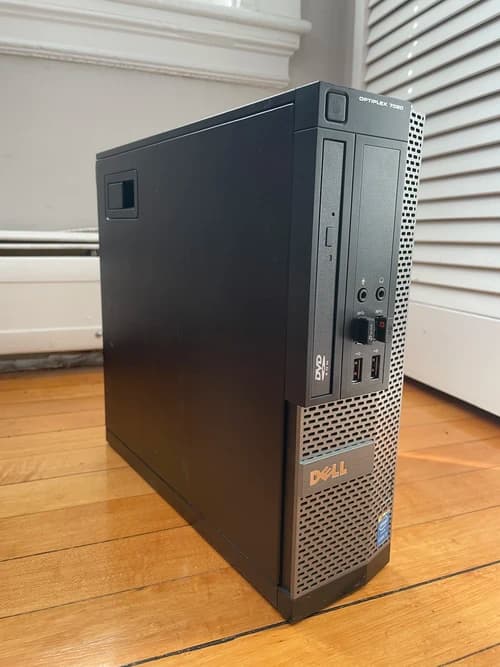 the floptiplex
 I’ve been wanting to get into home servers for a while and was originally planning to get either a Raspberry Pi (which have been absurdly expensive lately) or a used PC off eBay, but this gave me the perfect opportunity to mess around with building my own server without having to take the financial hit. I’m mainly doing it to learn how to self-host projects and get better at computer networking (with an added benefit of freeing up my MacBook storage), plus my brain has somehow justified paying <$10/month on a VPS = bad, whereas spending just as much on electric usage = okay, so here we are.
After wiping the server and installing Ubuntu, I moved my media library from my MacBook to the Optiplex to set up a Plex server there. Plex isn’t a streaming service like Netflix and Hulu are (technically it does have mid streaming capabilities, but most people don’t use it for that)—rather, it’s a personal media server that allows you to organize and access your local (as in, downloaded) media files. That means going from something like this:
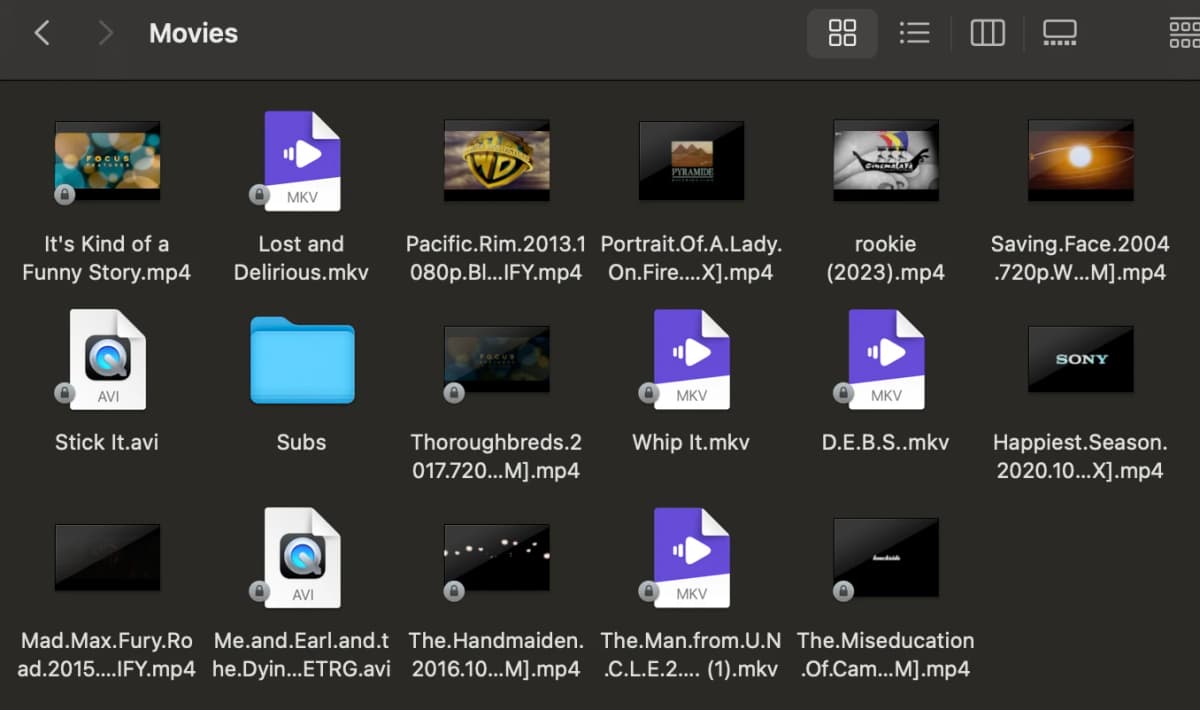
To this:
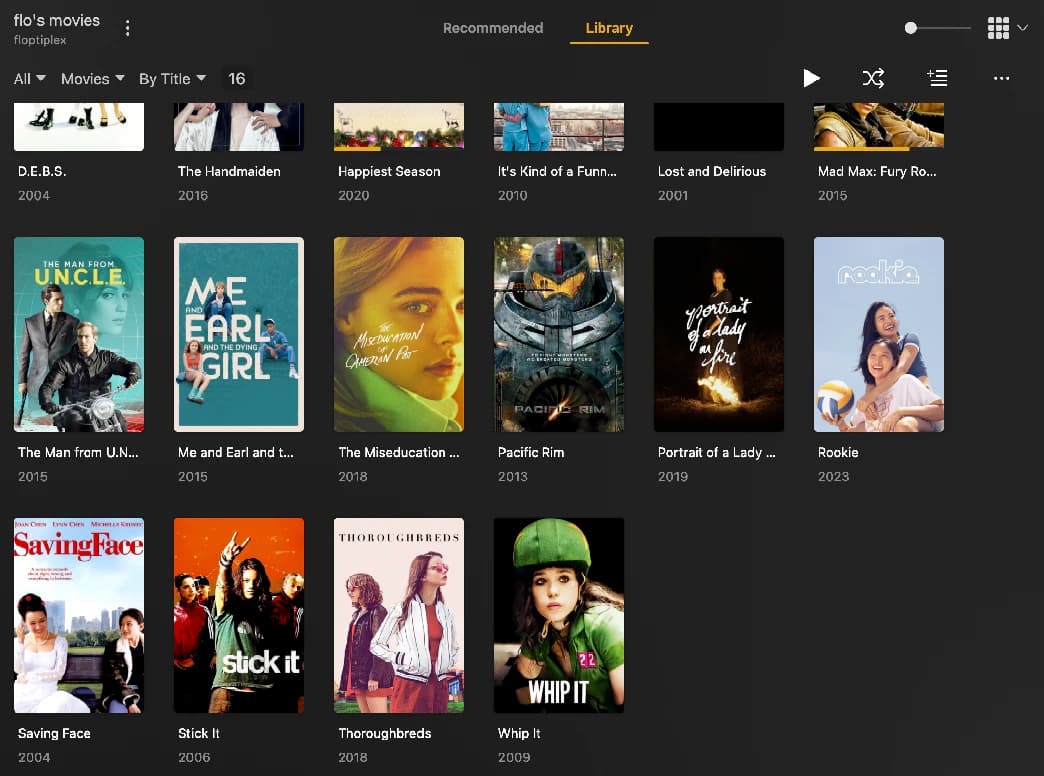
I used to have a much larger media collection (that originated with ripping DVDs in middle school lol) but downgraded it over the years to allow more storage space on previous laptops. Which I massively regret! I love owning and having control over my media and NOT having to deal with the repeated devastation of having my favorite shows be pulled off streaming platforms at a corporation’s whim. Plus, the time and effort required to hunt stuff down and add them to my collection make me appreciate what I’m watching/listening to more, compared to lazily grazing on whatever’s on the worldwide top 10 that week.
Anyway, some learnings from this process:
Avoid Buffering by Remuxing H.265 Files
I noticed that Plex had pretty major buffering issues when streaming H.265 video files. Reddit unearthed two solutions: transcode the files from H.265 to H.264, or remux them from .mp4 to .mkv. I suspected that I didn’t have enough GPU power to do the former for like, 150 files at multi gigabytes each, so the latter it was. I used MKVToolNix and it did the job perfectly; you could also use ffmpeg. I don’t know why this solves the issue exactly but it seems like the process drops problematic metadata from the files.
Tailscale + Jellyfin for Remote Streaming
Plex allows you to access your server from any device in your local network for free, and then makes you get a Plex Pass subscription if you want to access it remotely.
I want remote access and don’t want to pay for a pass, so I connected my devices together via Tailscale, which emulates the connection as if they’re all on the same local network. This was dead easy to set up—I just installed the app on the server and the devices I want connected, and signed in with my GitHub account.
In theory, when Tailscale is active on both the server and the target device, I can run Plex from anywhere as if I was at home. But Plex still blocks me from remotely accessing the server even with Tailscale telling it that I’m on the same network. I don’t know if this is a skill issue on my end, but reading around on the internet makes me suspect that this might just be an artifact of enshittification and Plex has caught on to this workaround. Which I guess is fair, since they need money to run the service, and an annual remote pass is $20/year, but I just don’t see the point in paying an ongoing subscription to occasionally access my own files.
Enter Jellyfin! Jellyfin is a free and open-source alternative to Plex that’s built to be entirely self-hosted, which means that you can do everything you can’t with Plex for free, like accessing your server remotely, downloading files for offline viewing, transcoding them for efficiency, etc. The UI is less polished and it seems like the client apps aren’t as good as Plex’s, but it’s free and works with Tailscale—when Tailscale is active on my laptop/phone/iPad I can stream from my Jellyfin server even when I’m on a different network.
In retrospect, going with Jellyfin from the beginning would’ve saved me the headache, but I do like Plex’s UI better and it wasn’t hard to set both up. And besides, redundancy saves lives, or something. My plan is to stream with Plex when I’m at home (it seems to have a better TV client) and use Tailscale + Jellyfin when I’m away.
Is this overkill?
Yeah, pretty much. At least for the stage of life I’m in right now—I watch everything on my laptop in my room 90% of the time and can’t remember the last time I really needed my media library with me while I was away from home. I’m pretty much the only one accessing my collection anyway—everyone I know has multiple streaming subscriptions, and it’s not hard to find free streaming sites that host off-platform movies and shows.
It’s just nice to have all of my favorite stuff in one place. Nice to see them more glammed up than how I have them in my local folders. And super fucking nice not be beholden to hostile corporations hell-bent on squeezing more money out of its customers while doling out worsening services. So yay to my media server!